Quick answer: For finance teams that need to collect vendor tax and banking details so suppliers can get paid fast, BILL is the strongest fit — but the right supplier onboarding software in 2026 ultimately depends on what "onboarding" means for your business: screening third parties for regulatory risk, or qualifying contractors for safety before they reach a jobsite.
In this guide, we compare 8 leading platforms on features, pricing, and integrations so you can find the option that fits your finance stack and growth stage.
At-a-glance comparison table
*Pricing and features are based on publicly available information as of October 2026 and may change. Always confirm details with each provider.
How we chose the best supplier onboarding software†
In this list, we looked at supplier onboarding tools based on:
- Core onboarding capabilities. Supplier self-service portals, document and tax form collection, approval workflows, and verification checks.
- What happens after onboarding. Whether the platform carries a supplier through to purchase orders, invoices, and payment—or hands off to another system.
- Total cost of ownership. Published pricing where available, plus which plan tier a capability requires and whether it is an add-on.
- Fit for different business types. From growing businesses with a lean finance team to large enterprises with dedicated procurement, risk, and safety functions.
Our top supplier onboarding tool picks for 2027
Software Comparison


- Purchase requests and purchase orders created and tracked in one place, with unlimited purchase requesters added at no extra cost [1][5]
- Automatic W-9 collection and verification with the W-9 Agent, an Accounts Payable feature included on every business plan tier [1]
- Automated 2- and 3-way matching across POs, receipts, and invoices, with tolerance rules you set so mismatches don't slow down big moves [5]; on the plan tiers, 2-way matching and tolerance rules are listed for Corporate, while syncing purchase orders with automatic 2- and 3-way matching is listed under Enterprise [1]
- Approvers added automatically based on policies you set, with BILL spotting duplicate invoices before they derail your flow [5]
- Vendors receive purchase orders directly and can get paid through the BILL network, and can track payment status in real time [5]
- Automatic 2-way sync with QuickBooks Online, QuickBooks Pro, QuickBooks Premier, and Xero on the Corporate plan, and with QuickBooks Enterprise, Oracle NetSuite, Sage Intacct, Microsoft Dynamics, and more on the Enterprise plan [1]
Pros
- Procurement, AP, and payment live in one workspace rather than separate systems [5]
- Published per-user pricing for the plan that includes Procurement [1]
- Unlimited purchase requesters at no extra cost [1][5]
- W-9 collection and verification included with Accounts Payable on every business plan tier [1]
- Payment options include ACH, virtual card, credit card, check, and international transfers [1]
Cons
- Procurement is an add-on on the Essentials and Team plans rather than included [1]
- The Procurement add-on price is not published [1]
- Automatic 2-way sync with QuickBooks Enterprise, Oracle NetSuite, Sage Intacct, and Microsoft Dynamics is listed under the Enterprise plan [1]
- Syncing purchase orders with automatic 2- and 3-way matching is listed under the Enterprise plan, and features vary by accounting software [1]
- Some payment types—like checks, ACH, instant transfers, or international payments—also have per-transaction fees on top of the subscription, regardless of plan [1]
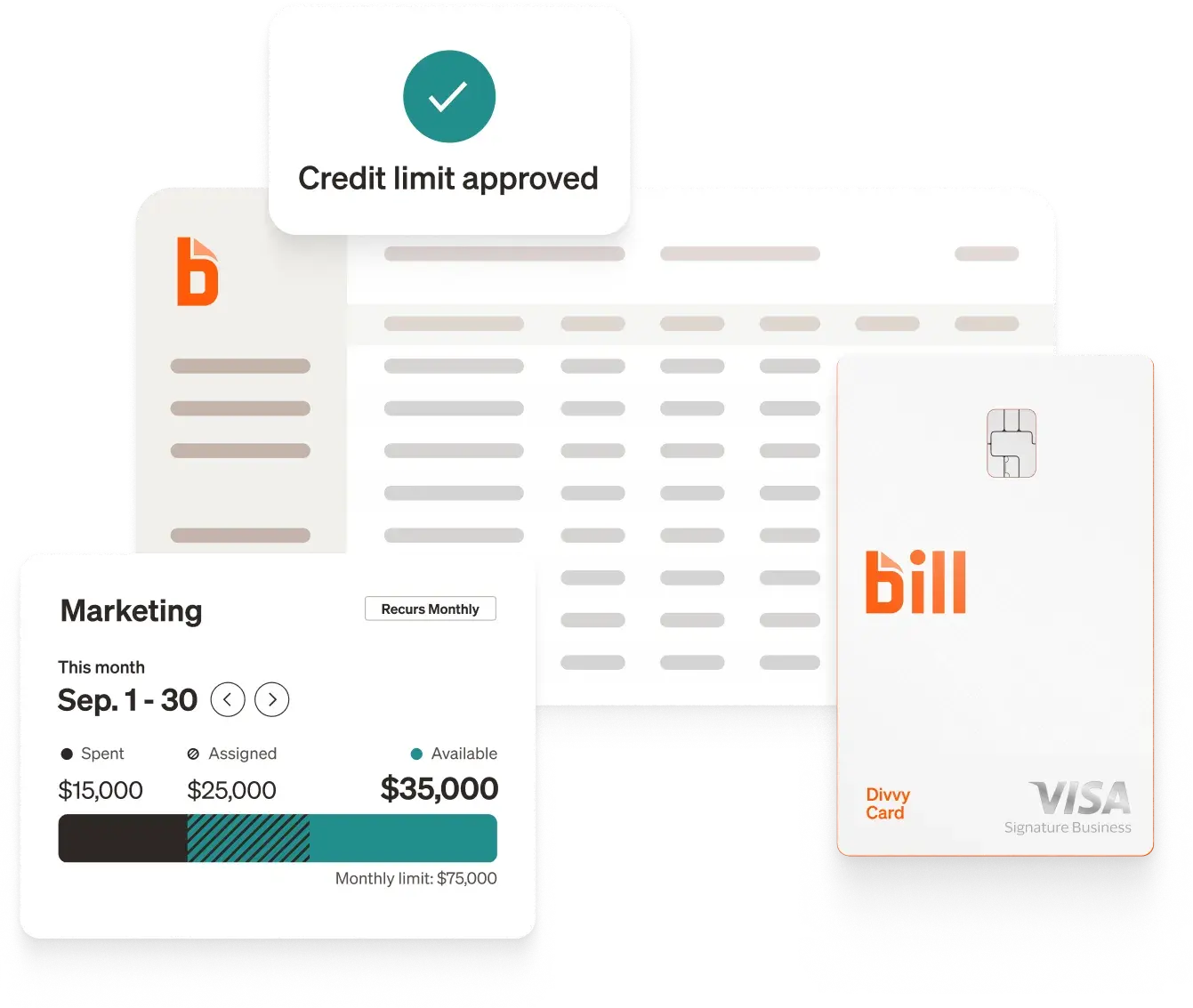
Most tools on this list treat supplier onboarding as a stage that ends when a vendor record is approved—what happens next is another system's problem. BILL Procurement connects the two: purchase requests become purchase orders, POs go directly to vendors through the BILL network, matching catches price and quantity mismatches before payment, and payments are applied to matching bills in your accounting system so you have complete remittance info for every transaction. [5]
BILL Procurement works with Accounts Payable to help you manage procure-to-pay processes from a single, easy-to-use workspace. [5] It is also one of the few platforms here with published per-user pricing, so finance teams can estimate the cost of the plan that includes Procurement before talking to sales. [1]
Commonly compared to: Zip and Coupa (for procure-to-pay), and PaymentWorks (for vendor verification before payment).
- According to Coupa's documentation, the Coupa Supplier Portal is a free tool for suppliers to easily do business with their customers who use Coupa [3]
- As described on the product documentation, suppliers can view purchase orders, set up delivery methods, create catalogs, send invoices and advance ship notices, and check the status of transactions [3]
- Coupa's documentation states that catalogs can be integrated into a buyer's Coupa instance by hosting it on the Coupa Supplier Portal, using Punchout, cXML, or through universal search [2]
- Per the documentation, Coupa sends and receives documents through email, the Coupa Supplier Portal or cXML [2]
- According to the documentation, Supplier Actionable Notifications let suppliers receive orders and work with customers who use Coupa, all without the need to join Coupa's supplier network or create a Coupa Supplier Portal account [3]
- The documentation describes a Setup tab where suppliers manage users, merge requests, and remit-to addresses, set up electronic invoicing, and add fiscal representatives [3]
Pros
- The supplier portal is described as a free tool for suppliers [3]
- Suppliers can act on POs without creating a portal account, per the documentation [3]
- Multiple document exchange methods including cXML and SFTP are documented [3]
- Supplier guides are published in several languages [3]
Cons
- Coupa does not publish pricing on the cited pages [2][3]
- The documentation notes that getting suppliers set up within Coupa depends on the specific solution each Coupa customer has implemented, so not all methods of integration will apply [2]
- The documentation states that buyers and suppliers need to talk to understand the specifics of the buyer's Coupa setup [2]
- The cited pages are marked as legacy documentation that is no longer being maintained [2][3]
Coupa's supplier onboarding sits inside a broader spend management suite, and its documentation reflects that scope—catalogs, punchout, sourcing events, advance ship notices, service sheets, and inventory collaboration all appear alongside basic supplier registration. [3] Coupa's own supplier enablement material frames onboarding as a multi-step program with stages for analyzing spend, determining a supplier load strategy, and establishing a catalog strategy before moving to production. [2] That breadth suits organizations consolidating many spend categories onto one platform. For a growing business that mainly needs a vendor set up and paid, it is a larger surface area than the job requires.
Commonly compared to: SAP Ariba and Ivalua (for enterprise source-to-pay), and Zip (for procurement orchestration).

- According to SAP, SAP Ariba Supplier Lifecycle and Performance supports both internal initiated requests and optional external requests from potential suppliers [4]
- SAP's page states the product collects detailed information on certifications, financial stability, and regulatory compliance through modular questionnaires [4]
- Per SAP, supplier self-service data entry is enabled for faster cycle times and reduced errors [4]
- SAP describes a Supplier 360 profile that provides sourcing professionals with all critical supplier intelligence in a single view [4]
- According to SAP, the product proactively monitors documents to track and surface certificate and contract expiration dates [4]
- SAP's supplier management page describes two-way sync with SAP ERP, keeping supplier data consistent between SAP ERP and SAP Ariba solutions [16]
Pros
- SAP publishes a monthly per-user list price for this product [4]
- Suppliers can access and update their own information via SAP Business Network, according to SAP [16]
- Modular questionnaires cover certifications, financial stability, and regulatory compliance [4]
- SAP states it was named a Leader in the Gartner Magic Quadrant for Source-to-Pay Suites [4]
Cons
- The published list price is USD 740.00 monthly in blocks of 1 user, with a contract duration of 3 to 60 months and auto-renewal [4]
- SAP Ariba Supplier Management is split into two solutions—Supplier Lifecycle and Performance, and Supplier Risk—according to SAP's FAQ [16]
- The documented two-way ERP sync on these pages is with SAP ERP [16]
- Pricing is listed per user per month, where individuals with unique active profiles are counted [4]
SAP Ariba's supplier management is built around the SAP ecosystem: SAP describes two-way synchronization with SAP ERP, supplier self-service through SAP Business Network, and in-context sharing of supplier information across SAP Ariba procurement solutions. [16] For an organization already standardized on SAP, that gravity is the point. SAP is also unusual among enterprise suites in publishing a list price—USD 740.00 monthly in blocks of 1 user—which makes the enterprise tier of this category concrete rather than abstract. [4] Businesses running QuickBooks, Xero, or Sage Intacct will find the integration story pointed at a different ERP universe.
Commonly compared to: Coupa and Ivalua (for enterprise source-to-pay), and Aravo (for supplier risk).

- According to Ivalua, its Supplier Management solution consolidates onboarding, risk, performance, collaboration, and master data into one platform [6]
- Ivalua's page describes a comprehensive, branded supplier portal to facilitate automated collaboration [6]
- Per Ivalua, Advanced Supplier Information Management uses AI to extend, validate, and manage supplier information across your entire ERP landscape [6]
- Ivalua states you can update ERP supplier records in bulk to reduce manual effort and minimize risk [6]
- According to Ivalua, smart approval workflows can be set to ensure compliance and governance at every step [6]
- Ivalua describes supplier scorecards and KPIs for tracking performance and identifying top-performing suppliers [6]
Pros
- Supplier onboarding, risk, performance, and master data are described as one unified platform [6]
- Branded supplier portal for onboarding, compliance, and document sharing [6]
- Bulk ERP supplier record updates across a multi-ERP landscape [6]
- Ivalua cites being named a Leader in the Ardent Partners Supplier Management Technology Advisor Report, 2025 [6]
Cons
- Ivalua does not publish pricing on the cited pages [6][7]
- The cited pages direct prospective buyers to watch a demo or contact the company [6][7]
- The breadth described spans sourcing, contracts, spend analysis, and direct materials alongside onboarding [6]
- Ivalua's supplier management page is oriented toward organizations managing supplier data across multiple ERP systems [6]
Ivalua's pitch on its supplier management page is data consolidation: a 360-degree view of supplier information and activity, with master data management that cleanses supplier records and updates ERP records in bulk. [6] A Honeywell quote on the page describes Ivalua as a single source of truth for vendor master management across ERP systems and business units globally. [6] That is a specific and demanding problem—one that generally shows up in organizations running several ERPs with years of accumulated supplier records. Businesses with one accounting system and a manageable vendor list are solving a different problem.
Commonly compared to: Coupa and SAP Ariba (for enterprise source-to-pay), and Aravo (for supplier risk).

- According to Zip, its AI-powered supplier portal delivers an automated, guided experience so suppliers can submit documents correctly and on time [8]
- Zip's page states it uses AI to automate third-party checks like TIN, VAT, OFAC, D&B, and bank account verification to surface financial risks and fraud [8]
- Per Zip, one-click ERP supplier creation automatically creates and updates supplier records in your ERP system [8]
- Zip describes centralized supplier records as a single source of truth, keeping data consistent and visible across cross-functional teams [8]
- According to Zip, centralized data and automatic task scheduling make it simple for procurement, finance, legal, IT, and AP teams to conduct reviews [9]
- Zip lists a Supplier 360 agent, procurement precheck agent, and adverse media agent that analyze supplier documents, review MSAs and SOC 2 reports, and scan public news sources [8]
Pros
- Zip claims an 85% faster onboarding cycle time and a 98% portal completion rate [8]
- Automated third-party checks spanning tax ID, sanctions, and bank account verification [8]
- Vendors upload business data, contracts, tax IDs, and payment details through a simple portal [9]
- Zip states it provides direct support during onboarding, reducing friction and minimizing procurement involvement [8]
Cons
- Zip does not publish pricing on the cited pages [8][9]
- The cited pages direct prospective buyers to request a demo [8][9]
- Global Payments, Vendor Cards, and Budgets are listed as add-ons rather than core products [8]
- Capabilities span many request types and stakeholder teams, which suits organizations with distinct legal, IT, and security review functions [9]
Zip's supplier onboarding is one request type inside a broader orchestration platform—its own page describes workflows that route a supplier through competitive research and legal review, with records visible to procurement, finance, legal, IT, and AP teams. [8][9] That cross-functional routing is the distinctive capability, and it matters most when a new supplier genuinely needs sign-off from security, privacy, and legal before purchasing can proceed. Organizations where onboarding means collecting a W-9 and bank details so the finance team can pay an invoice will be buying more orchestration than they need.
Commonly compared to: Coupa (for procure-to-pay), and Aravo (for third-party risk orchestration).

- According to Avetta, you share your supplier list and Avetta checks who is already using the system and who needs to sign up [10]
- Avetta states it handles outreach to non-subscribed suppliers via email and phone call to assist with registration and compliance [10]
- Per Avetta, once registered, contractors are evaluated and assigned classifications that impact compliance criteria, requirements, membership and pricing [10]
- Avetta's prequalification page describes collecting, reviewing, and monitoring safety performance, audits, certifications, and documents in one place [11]
- According to Avetta, its qualified auditors work directly with contractors to improve once safety gaps are identified [11]
- Avetta describes one platform to manage third-party risk spanning health and safety, financial viability, diversity qualifications, workforce risk and liability [11]
Pros
- Avetta's team handles supplier outreach and registration as a service [10]
- Avetta states its network spans contractors across 120+ countries [10]
- Avetta cites a network of 130,000+ prequalified contractors [11]
- Safety audits include auditor follow-up with contractors, per Avetta [11]
Cons
- Avetta does not publish pricing on the cited pages [10][11]
- The cited pages direct prospective buyers to talk to an expert or request a demo [10][11]
- Contractor classifications affect membership and pricing, according to Avetta [10]
- The platform is oriented toward health and safety, financial viability, diversity qualifications, and workforce risk rather than purchase orders or payment [10][11]
Avetta's onboarding is safety and compliance qualification: contractors are classified by work type and risk level, then held to safety performance, audit, certification, and documentation requirements that Avetta collects, reviews, and monitors. [10][11] Its pages describe a Gold Member Scheme for Tōtika, the New Zealand cross-industry prequalification standard, and FMCSA motor carrier data for transportation risk—the kind of specificity that makes sense for construction, energy, and manufacturing operations with people on jobsites. [11] It is the furthest from a finance workflow of anything on this list, and that is precisely its value for the organizations that need it.
Commonly compared to: Aravo (for third-party risk), and Ivalua (for supplier management).

- According to Aravo, a vendor is officially onboarded once they have been through intake, assessment, appropriate due diligence, and the contracting process [12]
- Aravo states the platform collects W-9s, banking and payment information, NDAs, proof of insurance, and other necessary documentation [13]
- Per Aravo, the onboarding questionnaire scope is determined based on the initial risk assessment and can include business structure, diversity classifications, tax information, and payment and banking details [13]
- Aravo describes validating third-party data through integrations with external data sources covering banking, tax verification, financial health, and cybersecurity [13]
- According to Aravo, Master Data Management capabilities allow third-party records in other enterprise systems, such as ERP and payment systems, to be mapped [12]
- Aravo states a full audit trail of every action is captured, visualized, and available to report on [12]
Pros
- Onboarding questionnaire scope adjusts to the initial risk assessment, per Aravo [13]
- Electronic attestations from procurement approvers support audit requirements [13]
- Aravo states it was named a Leader in the Gartner Magic Quadrant for Third-Party Risk Management Tools for Assurance Leaders [13]
- Compliance applications are listed for DORA, GDPR, and the German Supply Chain Due Diligence Act [13]
Cons
- Aravo does not publish pricing on the cited pages [12][13]
- The cited pages direct prospective buyers to request a demo [12][13]
- Onboarding is positioned as the end of an intake, assessment, and due diligence sequence rather than a standalone step [12]
- The platform is framed around third-party risk management rather than purchasing or payment execution [13]
Aravo treats onboarding as the final gate in a risk process: intake, assessment, due diligence, and contracting come first, and a vendor is onboarded only once those clear. [12] The platform's compliance applications are named for specific regulatory regimes—DORA, GDPR, the German Supply Chain Due Diligence Act—and its industry pages cover financial services, pharma and life sciences, manufacturing, high tech, insurance, and consumer goods. [13] That is a different question from the one a finance team asks when setting up a new vendor. Organizations operating under those regimes are answering whether a third party is permissible at all.
Commonly compared to: Avetta (for contractor risk), and Ivalua (for supplier risk and performance).

- According to PaymentWorks, vendors are authenticated through guided onboarding in one standardized experience, building a single Payee Profile [14]
- PaymentWorks states every vendor is checked against sam.gov, OFAC, AML requirements, and a configurable list of 1400+ data sources during onboarding, with audit trails documenting each step [14]
- The website states that TIN and bank details verify against external databases [14]
- According to PaymentWorks, adding a remit address, editing a location, or updating banking goes through the same authentication process a new vendor goes through [14]
- PaymentWorks states vendors are continuously checked against sanctions lists, with instant alerts that trigger approval workflows when a vendor's status changes [15]
- According to the website, verified Payee Profile data flows directly into your ERP [15]
Pros
- Identity and bank verification run automatically during registration, per PaymentWorks [14]
- Banking changes trigger a new approval workflow, according to PaymentWorks [15]
- PaymentWorks states customers are indemnified for up to $5M in the event fraud slips through [14]
- Vendors enter and validate their own information through a secure platform [15]
Cons
- PaymentWorks does not publish pricing on the cited pages [14][15]
- The cited pages direct prospective buyers to book a demo [14][15]
- The platform is positioned as the front door to the ERP rather than a system of record for purchasing [15]
- Purchase requisitions, purchase orders, and invoice matching are not described on the cited pages [14][15]
PaymentWorks is the narrowest tool here by design. Its own pages describe it as the front door to the ERP: vendors build one authenticated Payee Profile, identity and bank details are verified against external databases before the record is stored, and every later change—a new remit address, a banking update—runs through the same authentication. [14][15] It layers onto an existing ERP rather than replacing purchasing workflow, which is a sensible fit for organizations that already have a procurement system and a specific worry about paying the wrong account. PaymentWorks states it indemnifies customers for up to $5M if fraud slips through. [14]
Commonly compared to: Zip (for supplier verification), and Aravo (for vendor compliance).
Key questions about supplier onboarding software
What is supplier onboarding software?
Supplier onboarding software collects and verifies the information a business needs before it can work with and pay a new supplier—tax forms, banking details, contact information, insurance certificates, and compliance documentation. Rather than tracking this through email threads and spreadsheets, the supplier enters their own information through a portal, and the platform routes it for review and approval.
The scope varies widely across the category. Some platforms focus on verifying identity and banking data before a record enters the ERP. Others treat onboarding as one stage of a full procure-to-pay process that continues through purchase orders, invoices, and payment. Still others center on risk qualification—screening suppliers against sanctions lists, assessing cybersecurity posture, or confirming safety credentials before work begins.
How does supplier onboarding software work?
- Invitation and registration. The buyer invites a supplier, who creates a profile and enters company details through a self-service portal rather than emailing documents back and forth.
- Document and data collection. The supplier submits tax forms, banking information, certificates, and any other documentation the buyer requires.
- Verification and screening. The platform validates submitted data—tax ID, bank account, sanctions list screening—depending on the product's scope and the buyer's requirements.
- Review and approval. Submissions route to the right internal approvers based on configurable rules, with an audit trail of each action.
- Record creation and sync. Approved supplier data is written to the accounting system or ERP, so purchasing and payment can proceed without re-keying.
What features should you look for in supplier onboarding software?
- Supplier self-service portal. A guided experience where suppliers enter and maintain their own information, reducing back-and-forth and manual data entry.
- Tax form collection. Automated W-9 collection and verification so tax documentation is captured at the start rather than chased later.
- Approval workflows. Routing based on amount, department, or vendor, with reminders and a complete audit trail.
- Verification checks. Depending on your risk profile, tax ID validation, bank account verification, and sanctions screening.
- Accounting and ERP integration. Two-way sync with your accounting software so approved supplier records and transactions stay consistent.
- What happens after onboarding. Whether the platform carries the supplier through to purchase orders, matching, and payment, or hands off to a separate system.
How much does supplier onboarding software cost?
Pricing in this category is mostly quote-based, with a few exceptions:
- Per-user subscriptions are published by BILL for businesses, where Procurement is included on the Corporate plan at $89/user/month and available as an add-on on the Essentials and Team plans. [1] SAP publishes a list price of USD 740.00 monthly in blocks of 1 user for SAP Ariba Supplier Lifecycle and Performance. [4] Coupa pricing ranges from free plans that let you do business with Coupa customers to $400 per month depending on the tier needed. [17]
- Quote-based pricing applies to Ivalua [6][7], Zip [8][9], Avetta [10][11], Aravo [12][13], and PaymentWorks [14][15], whose cited pages direct prospective buyers to a demo or sales conversation rather than listing a price.
- Transaction fees apply separately from subscription costs on platforms that also move money. BILL lists per-transaction fees for ACH, check, international wire, and card payments. [1]
Benefits of supplier onboarding software
Supplier onboarding software delivers value in several areas:
Less manual data entry. When suppliers enter their own information through a portal, finance and procurement teams stop re-keying the same details and chasing missing forms. [1][14]
Tax documentation captured up front. Automated W-9 collection and verification means tax forms are gathered when the relationship starts rather than at year-end. [1]
Stronger spend control. Approving spend before the business commits to it—through purchase requests and purchase orders—closes the gap between what was agreed and what gets invoiced. [5]
Fewer payment errors. Matching invoices against POs and receipts with configurable tolerance rules catches price and quantity mismatches before payment goes out. [5]
A clearer audit trail. Configurable approval workflows record who approved what and when, which supports both internal controls and external audit requirements. [12][14]
How to choose the right supplier onboarding software for your business
Conclusion
For growing businesses that want supplier onboarding connected to the rest of the purchasing process—purchase requests and POs in one place, W-9 collection and verification built into Accounts Payable, automated matching before payment, and vendors reached directly through the BILL network—BILL Procurement works with Accounts Payable to manage procure-to-pay processes from a single, easy-to-use workspace, included on the Corporate plan for businesses at $89/user/month. [1][5]
†Important disclosures:
- This article is for informational purposes only and is based on our review of publicly available information from each provider's website as of October 2026.
- We did not independently test or audit every feature described. Actual performance and suitability will vary by business.
- Inclusion in this list does not constitute an endorsement, recommendation, or guarantee of results. Evaluate each solution against your own requirements and risk standards.
- BILL is our own product. We include it here using the same evaluation criteria as other providers. This article is published by BILL.
References
[1] BILL. Pricing & Plans.
[2] Coupa. Core Supplier Onboarding. "Since getting suppliers set up within Coupa depends on the specific solution each Coupa customer has implemented, not all methods of integration will apply to you. Suppliers and buyers need to talk to understand the specifics of the buyer's Coupa setup." "Catalogs can be integrated into a buyer's Coupa instance by hosting it on the Coupa Supplier Portal, using Punchout, cXML, or through universal search." "Coupa sends and receives documents through email, the Coupa Supplier Portal or cXML." "We’ve upgraded our documentation! This page is part of our legacy documentation and is no longer being maintained." "Step 1: Analyze Your Spend" "Step 2: Determine Supplier Load Strategy" "Step 4. Establish Your Catalog Strategy" "Step 8: Move to Production"
[3] Coupa. Getting Started with the Coupa Supplier Portal.
[4] SAP. SAP Ariba Supplier Lifecycle and Performance. "monthly price
[5] BILL. BILL Procurement: From Request to Pay, All in One Place.
[6] Ivalua. Supplier Management Software.
[7] Ivalua. Supplier Collaboration and Innovation. "Contact Us"
[8] Zip. Supplier Onboarding.
[9] Zip. Vendor management software.
[10] Avetta. Streamlined Contractor Onboarding.
[11] Avetta. Contractor Pre-qualification & Monitoring.
[12] Aravo. Vendor Onboarding.
[13] Aravo. Procurement Risk Management Software.
[14] PaymentWorks. Vendor Onboarding Software.
[15] PaymentWorks. Vendor Management System.
[16] SAP. SAP Ariba Supplier Management Software.
[17] Coupa. Coupa Suppliers Pricing.